Approving a certificate issuer (CA)
A Certificate Authority issues root certificates to which intermediate and subordinate certificates chain up. To help your organization comply with security policies, you should specify which root certificates are approved.
To approve a certificate issuer
-
Ensure the issuer's root certificate is present in the Roots tree in Policy Tree.
To learn how to manually add a root certificate, see Manually adding root and intermediate root certificates.
-
In the Root policy, click the Certificate tab.
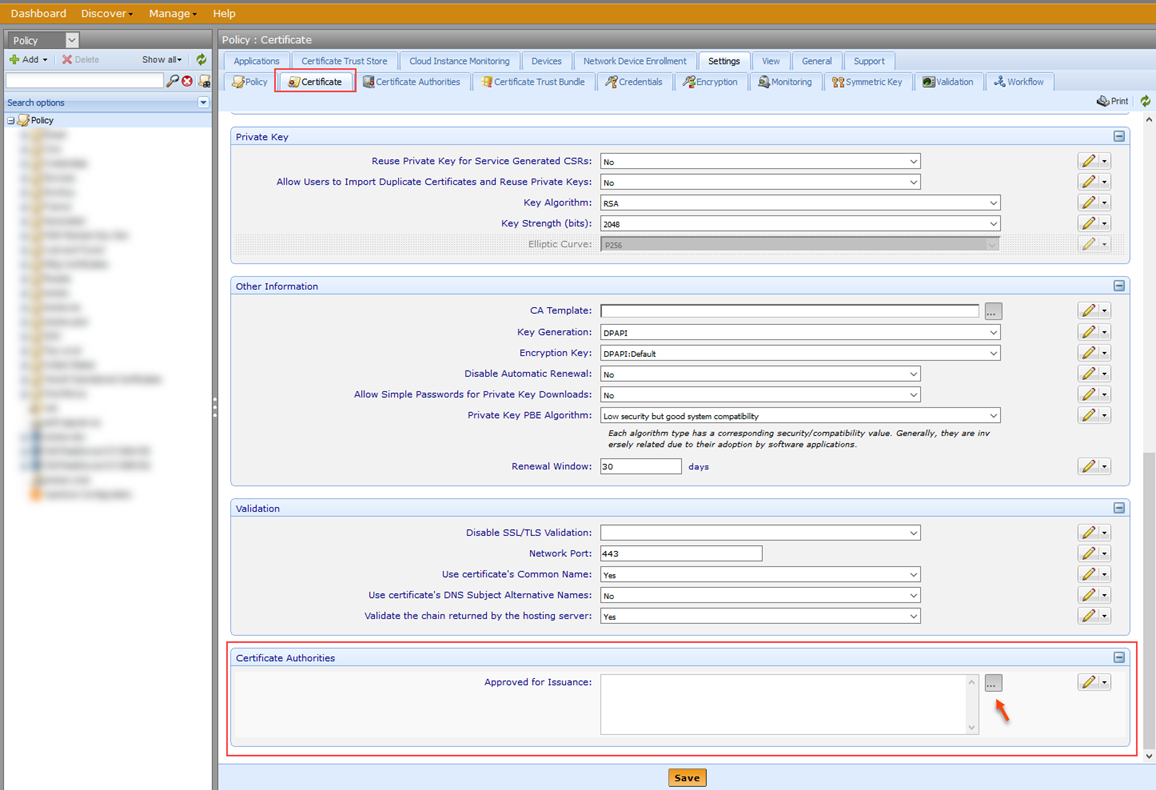
- Under Certificate Authorities, click Browse
 to see a list of root certificates that can be approved.
 - In Certificate Authority Selector, select the root certificate(s) then click Select.
- When you're done, click Save.